
Staff Module
Overview of the system - SchedulerDesk is a web-based booking application designed to help businesses manage appointments and reservations efficiently. It caters to various industries, including beauty salons, medical organizations, sports clubs, educational institutions, and more.
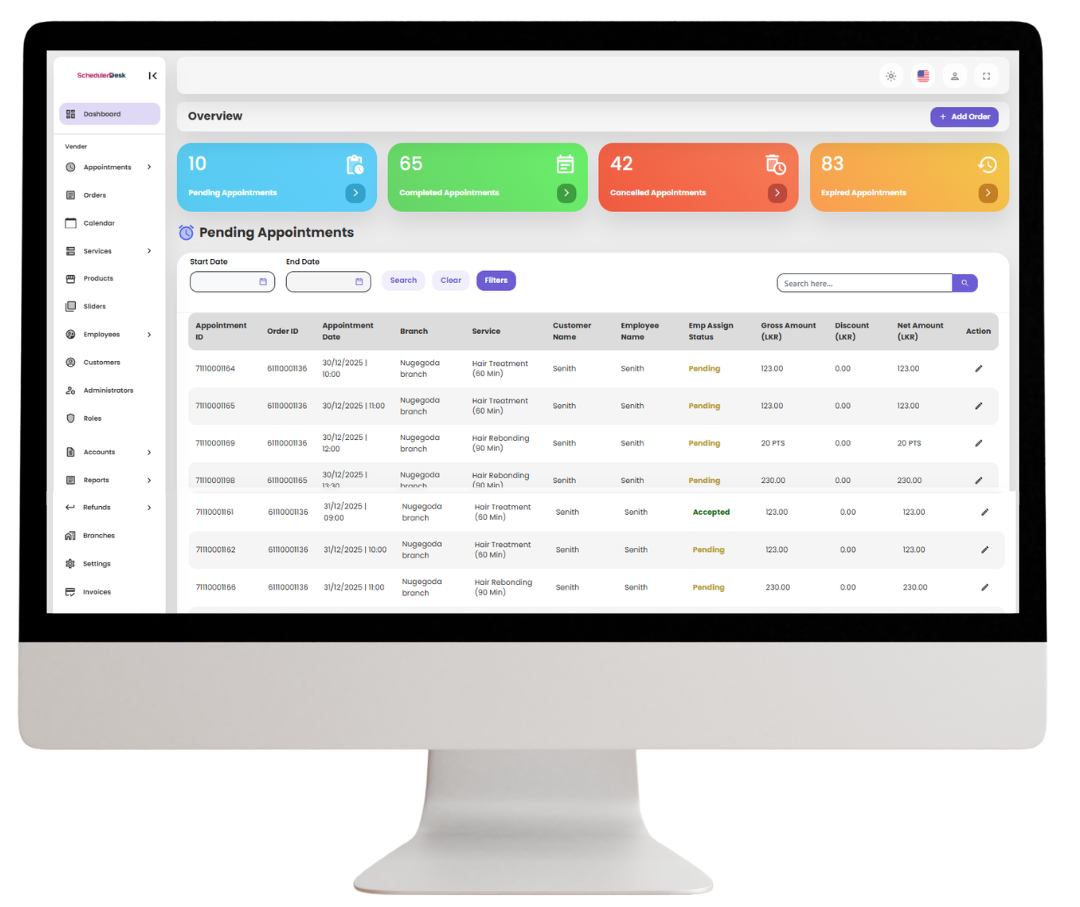
Benefit
Importance of Staff Module ?
Manages employee schedules, assigned bookings, performance, attendance, and availability from one centralized dashboard.
Better Time Management
Shows all upcoming appointments in advance, helping staff prepare schedules, avoid overlaps, and manage peak hours smoothly.
Enables timely follow-ups and reminders, minimizing missed appointments and improving daily workflow.
Improved Customer Service
Gives quick access to client and service details, allowing personalized, well-prepared service for every customer.
Feature Capabilities
Manage Your Appointments, Just a Few Easy Steps
With SchedulerDesk, booking, updating, and tracking appointments is simple and fast—helping you save time, stay organized, and focus on delivering great service.
Centralized Scheduling
All employee bookings and schedules are managed from a single system for easy access and control.
Clear Appointment Visibility
Provides real-time visibility of upcoming, pending, and assigned appointments for better planning.
Error-Free Booking Management
Prevents missed, overlapping, or unassigned bookings through organized tracking.
Complete Booking History
Allows managers to review completed, past, and cancelled appointments effortlessly.
Improved Accountability
Ensures fair workload distribution and keeps employees responsible for assigned tasks.
Performance & Revenue Insights
Generates reports to analyze employee performance and appointment-based revenue.
Accurate Time & Attendance Tracking
Monitors employee attendance, shifts, and actual working hours precisely.
Simplified Leave Management
Makes leave requests and balance tracking easy for both employees and management.
Flexible Employee Settings
Customizes shifts, working hours, and notifications to match business needs.
Explore - Features
SchedulerDesk - Staff Module
Overview of the system - SchedulerDesk is a web-based booking application designed to help businesses manage appointments and reservations efficiently. It caters to various industries, including beauty salons, medical organizations, sports clubs, educational institutions, and more.
Appointments Management
Booking Management
Displays all future appointments assigned to employees for better planning and time management.
Pending Appointments
Shows bookings awaiting confirmation or employee assignment.
Assigned Appointments
Lists appointments that have been successfully allocated to specific employees.
Non-Assigned Appointments
Tracks appointments that are not yet assigned to any employee.
Past Bookings Appointments
Maintains a record of all previous employee appointments.
Completed Appointments
Displays appointments that have been successfully completed.
Cancelled Appointments
Shows bookings canceled by customers or the business.
Reports & Analytics
Appointments Reports
Analyzes employee performance based on completed appointments and generated revenue.
Attendance Reports
Tracks employee check-ins, working hours, and absences.
Shift Reports
Compares scheduled shifts with actual working hours.
Leave Management
Leave
Allows employees to request leave and view remaining leave balances.
Settings
Settings
Manages employee preferences such as working hours, shift rules, and notification settings.
test
Employee
Store employee details such as name, role, and contact.
Shifts
Schedule employee work shifts.
Worker Schedule
Manage and assign work schedules.
Leave Requests
Track employee leave applications.
test
Refund Requested
Shows all requested refunds.
Completed Refunds
Displays refunds that have been successfully processed.
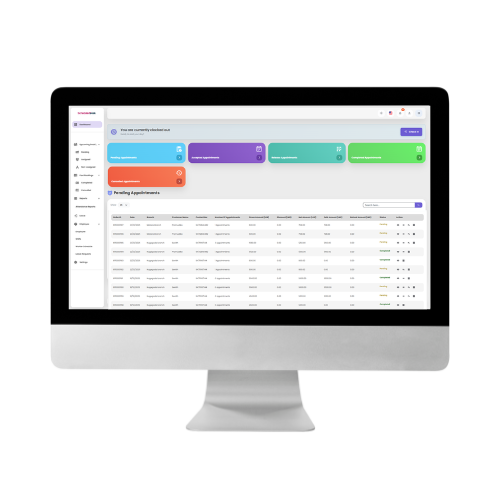
Try Our Demo Now
You can try our demo now by clicking the “Try Demo” button and using the following username and password to log in.
Username: [email protected]
Password: Demo123@
Try Our Main Modules
01
Customer Module
Try our demo now by clicking the “Click Here” button and using the following username and password to log in.
URL: Click Here
Username: [email protected]
Password: Demo123@
02
Staff Module
Try our demo now by clicking the “Click Here” button and using the following username and password to log in.
URL: Click Here
Username: [email protected]
Password: Demo123@
03
Admin Module
Try our demo now by clicking the “Click Here” button and using the following username and password to log in.
URL: Click Here
Username: [email protected]
Password: Demo123@
Employee Module – FAQs
The Employee Module is available as both a web portal and a mobile app, allowing staff members to view and manage their assigned appointments, schedules, and work details easily.
Yes. Employees can update their availability, request leave, and manage working hours via the web or app, subject to admin approval.
Yes. Employees can mark appointments as completed, canceled, or rescheduled directly from the web portal or mobile app.
Yes. Employees can be assigned to multiple services, and their schedules are automatically synchronized across the web and app.
Yes. With both web access and a mobile app, employees can manage their schedules anytime and from anywhere.
Yes. Employees can view their daily, weekly, and upcoming appointments in real time through the web dashboard or mobile app.
Yes. Employees receive instant notifications for new bookings, cancellations, and schedule changes on both web and mobile platforms.
Yes. Employees can access customer names, booked services, appointment times, and notes related to their assigned appointments.
Yes. The Employee Module is designed with a simple and user-friendly interface on both web and mobile, requiring minimal training.
Yes. Each employee has secure login credentials and can only access information relevant to their role and permissions.